SnapAny
https://snapany.comVideo sites supported by SnapAny
What Is SnapAny?
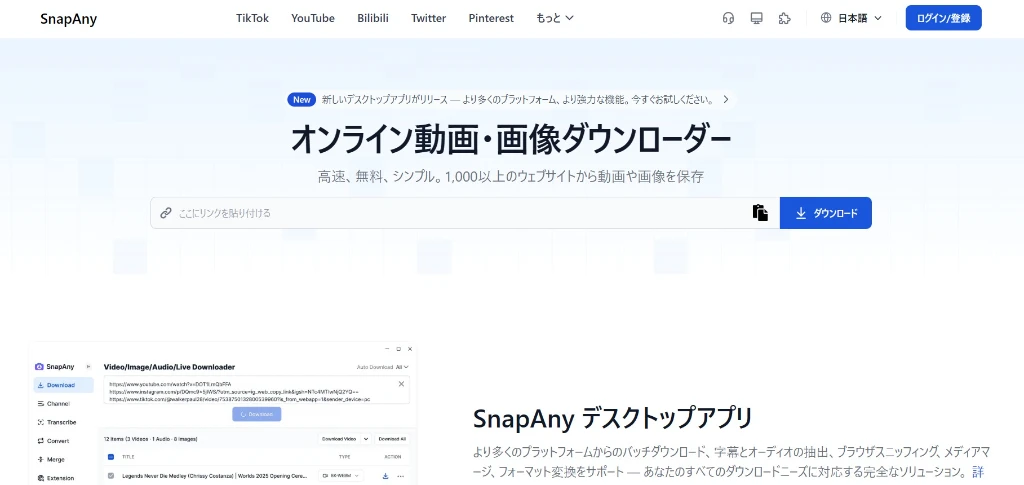
SnapAny is a video downloader launched in 2024 that supports multiple video sites and offers a browser tool, browser extension, and desktop app — a broader product lineup than most downloaders in this space.
The site now supports a wide range of languages, but initially launched in English and Chinese only, suggesting the operators are native Chinese speakers.
How to Use SnapAny
The basic approach is the same as Offliberty and SaveFrom: paste the video page URL into the input field on the homepage and submit.
Depending on the site, you'll see download links for video-only, audio-only, or various quality combinations. Click the format and quality you want, and you'll be taken to a direct link where you can watch or download the file.
The Extension and Desktop App
The browser version of SnapAny supports a limited range of video sites. Installing the extension and desktop app unlocks downloads from a much wider selection.
Once the extension is installed, navigating to a video page changes the extension icon from grey to colored. Clicking it brings up a popup listing the detected videos.

Clicking the download icon for a video in that popup triggers the download in the desktop app — meaning the extension alone can't download anything without the app. On the other hand, the desktop app works independently: you can paste a video page URL directly into it and download without the extension.
How SnapAny Downloads Videos
As noted above, clicking the download button takes you to a direct URL, which suggests SnapAny isn't doing any conversion itself. The likely mechanism is that SnapAny's servers act as a proxy, bypassing each site's security layer to extract the direct link.
For the desktop app, the process is probably similar to CocoCut and FetchV — accumulating chunks while avoiding CORS restrictions and then muxing them into a final file. The desktop app has one significant advantage here: no memory ceiling, which means it can handle very high-resolution, very long videos that a browser-based tool would struggle with.
Things to Watch Out For
You Need to Install the Extension and Desktop App
The browser-only version of SnapAny is limited compared to other downloaders. Its main capability there is detecting direct video links — and since direct links are often provided for preview purposes, they may not include the highest quality versions available on a given site.
To use SnapAny properly, you effectively need to install both the extension and the desktop app. For anyone uncomfortable installing software from a service whose operators aren't clearly identified, this may be a dealbreaker.
That said, upgrading to a paid plan may unlock desktop-app-equivalent features in the browser version. Pricing by subscription length:
| Plan | Price |
|---|---|
| Monthly | $7/month |
| Annual | $27 ($2.25/month) |
| 5-year special | $58 ($0.96/month) |
There's a Limit on How Many Videos You Can Download
After downloading a few videos with the extension and desktop app, a prompt appears requiring you to log in to continue. On top of installing the extension and app, you'll also need to create a SnapAny account — which means more exposure than most other downloaders ask for.
Account creation requires either a Google account or an email address.